🌍 What Is a Web Server?
A web server is a computer that stores websites and
sends them to users over the internet.
Every time you visit a website, your device is communicating with
a web server somewhere in the world.
- Stores website files
- Responds to user requests
- Connected to the internet 24/7
💻 Clients and Servers
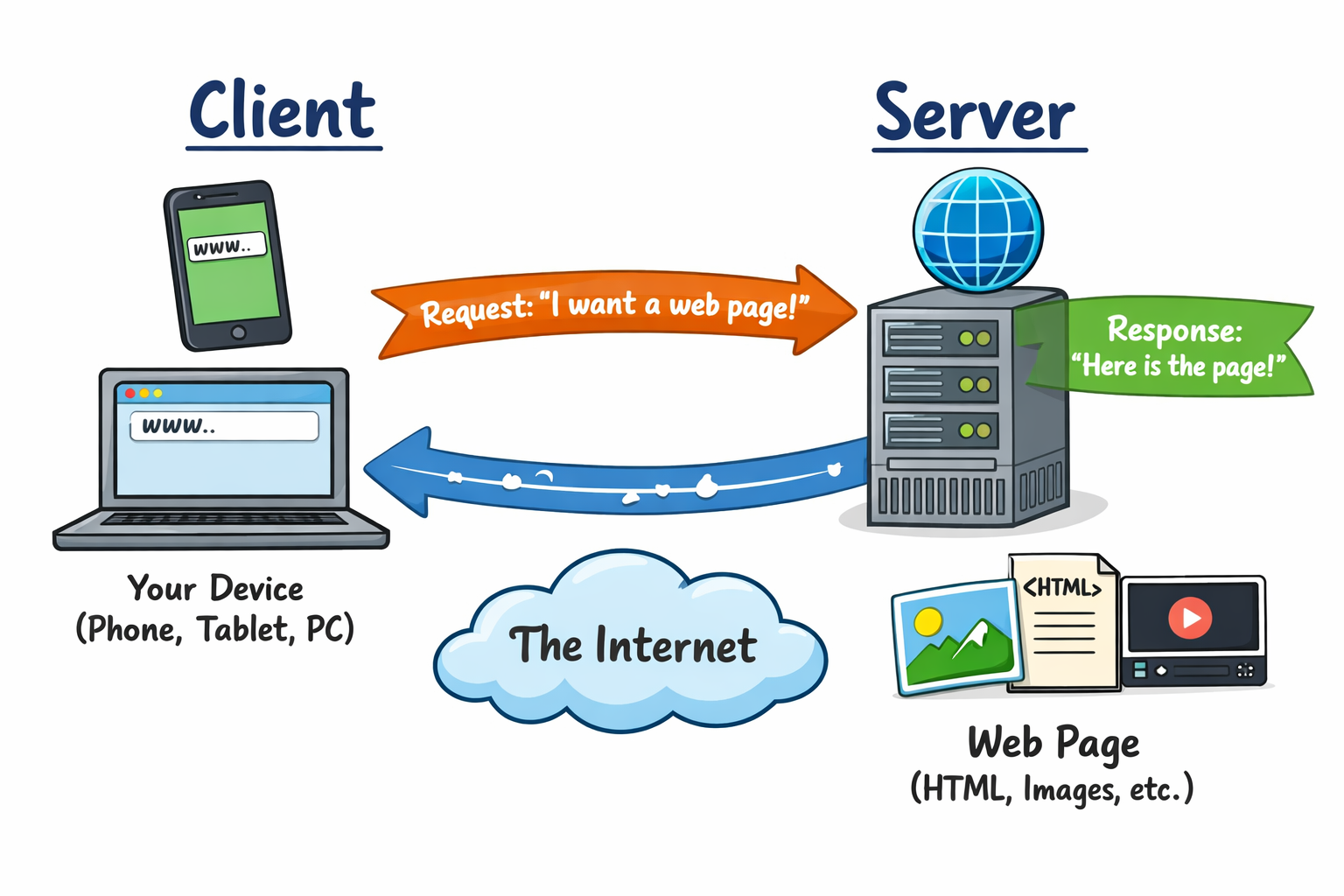
Your phone, tablet, or computer is called a client.
The client requests information, and the server
responds.
- Client = asks for data
- Server = provides data
- This happens millions of times every second
|
|
📨 Requests and Responses
When you type a website address or click a link, your browser sends
a request to the web server.
The server processes the request and sends back a
response, such as a web page.
- Client Request: “Please send me this page”
- Server Response: HTML, images, videos, etc.
- This uses standard rules called the HTTP Protocol
⚙️ What the Server Actually Does
A web server doesn’t just send files — it also has to
work things out.
- Checks what page was requested
- Runs server-side code (e.g. PHP)
- Gets data from databases if needed
- Sends the correct response back
All of this takes time and resources.
📊 Server Limits
Servers are powerful, but they are not unlimited.
Each server has limits on how much it can handle at once.
- Computer processing power
- Memory (RAM)
- Network bandwidth (how much data can be sent at once)
- Number of requests at one time
🚦 Normal Traffic
Under normal conditions, a server can handle requests one after another,
or in small groups.
Requests are processed and users get their pages quickly.
- Website loads normally
- Server stays responsive
- Users don’t notice anything wrong
⚠️ Too Many Requests
If a server receives too many requests at once,
it can struggle.
Requests may:
- Queue up and slow down
- Time out
- Be dropped completely
This can make a website slow or unavailable.
🤔 Why This Matters…
Web servers are designed to be helpful — they respond to requests
automatically.
But this also makes them vulnerable if someone
intentionally overloads them.
This idea leads directly to understanding
Denial of Service (DoS) and
Distributed Denial of Service (DDoS) attacks.